Hidden Shop Hunt: How to Play
A practical walkthrough written for this specific game.
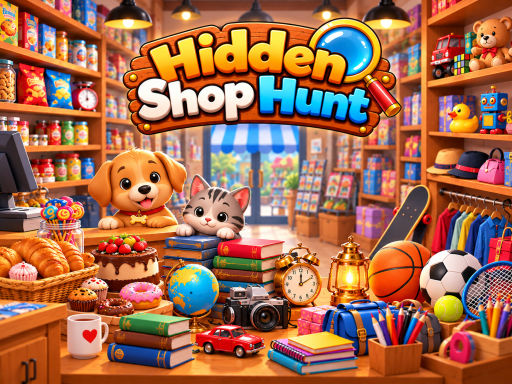
Hidden Shop Hunt turns a collection of busy storefronts into visual puzzles. Each shop is packed with merchandise, decorations, signs, containers, and small details that compete for attention. Your task is to locate the objects displayed in the side tiles before the timer expires. The premise is easy to understand, but the scenes are deliberately crowded, so careful observation matters more than frantic clicking.
Searching a shop efficiently
Begin by reading the object tiles instead of immediately scanning the room. Identify the shape, dominant color, and likely size of every target. A small object may be partially hidden behind another product, while a larger one may blend into shelving or wall art. Search in sections. Moving from the top-left corner across each shelf is more reliable than letting your eyes jump randomly around the scene.
Twenty levels provide different layouts and object combinations. Some stages add a question-mark tile. Selecting it opens a separate puzzle that reveals the identity of a mystery object. Solving that step does not complete the task. You still need to return to the shop and locate the revealed item before time runs out. This creates a useful change of pace and tests memory as well as visual recognition.
How to avoid wasting the timer
Use the first few seconds to establish a search order. Check open counters and large display areas first, then inspect dense shelves and corners. Objects placed near a similarly colored background are easier to miss, so look at their outlines rather than relying only on color. If the target tile shows a distinctive handle, wheel, lid, or pointed edge, search for that feature.
Random clicking is rarely a good solution. It breaks your concentration and may carry a penalty depending on the stage. When you feel stuck, stop moving the pointer and look at the entire scene for a moment. The change from narrow focus to a wider view often makes an overlooked silhouette stand out. Hints are most valuable near the end of a level, when one stubborn item is consuming the remaining time. Using them immediately removes the opportunity to learn the scene’s hiding patterns.
A puzzle suited to short sessions
Each stage can be played in a few minutes, making Hidden Shop Hunt comfortable for a quick break. The challenge does not depend on complicated controls or fast keyboard input. It asks for patience, visual organization, and the ability to recognize an item when its surroundings are designed to distract you. Younger players can practice object recognition, while experienced hidden-object fans can aim to finish with fewer hints and more time remaining.
Controls and interface
- Use the mouse on a computer to select objects in the shop.
- On a touchscreen, tap the object directly.
- Select a question-mark tile to open its mystery puzzle.
- Use a hint when an item cannot be found after a careful search.
Helpful answers before playing
What should I do when two objects look similar?
Compare their outline and small identifying details. Handles, patterns, and proportions are more dependable than color, which may look different inside the scene.
Do mystery objects appear in every level?
They appear in selected levels. When one is present, solve its puzzle first so you know what additional object to search for.
Is there a best way to scan the screen?
A consistent grid works well. Search each shelf or visual section from left to right, then move downward. This reduces the chance of checking the same area repeatedly.
Hidden Shop Hunt rewards a calm approach. Learn the scene, reserve hints for genuine roadblocks, and treat each shop as an arrangement to be mapped rather than a picture to be clicked at random.
Quick controls
Use a mouse, touchpad, or touchscreen to select the objects represented by the side tiles. In mystery stages, open the question mark, solve the small puzzle, remember the revealed item, and locate it in the shop before the timer ends.