Harbor Master Container Tycoon: How to Play
A practical walkthrough written for this specific game.
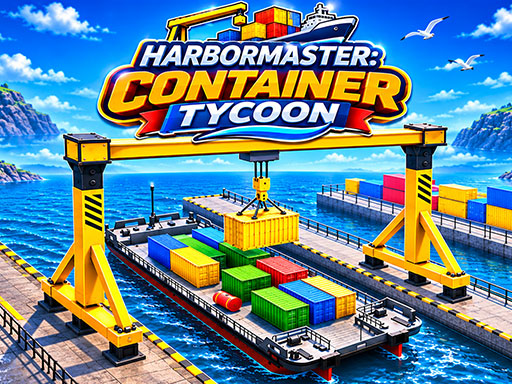
Harbor Master: Container Tycoon is a 3D port logistics simulator about operating industrial vehicles, attaching containers, loading ships, organising the yard, completing missions, and expanding a cargo harbour. Heavy machinery rewards precision: one poorly aligned container can block traffic or waste more time than a careful approach.
Plan the yard route
Identify pickup, destination, and turning space before entering a vehicle. Keep travel lanes clear and avoid placing temporary containers where trucks or cranes must pass.
Align before attaching
Use Q only when the lifting equipment is centred above the container. Change camera with C and make small corrections. Pulling from an angle can destabilise the load.
Raise only as high as needed
R raises and F lowers. Carry containers low enough for stability, lifting higher only to clear stacks or ship edges. High loads increase tipping risk and hide nearby obstacles.
Stack accurately
Approach slowly, match the container’s orientation, lower until supported, then detach. Releasing while misaligned can damage the organisation of the whole row.
Expand with purpose
Upgrade facilities that remove actual bottlenecks: vehicle capacity, handling, yard space, or ship turnaround. A larger port needs clear traffic flow, not only more equipment.
A logistics routine
- Read the cargo mission.
- Select the correct vehicle.
- Approach squarely.
- Attach and carry low.
- Position over the marked destination.
- Lower fully before detaching.
Controls
W/S moves forward and back, A/D steers, Space brakes, E enters or exits, Q attaches or detaches, R raises, F lowers, C changes camera, Shift accelerates, mouse rotates view, and Escape pauses.
Questions
Why does the container swing?
Reduce speed, carry it lower, and avoid sharp steering.
Why can’t I attach?
Centre the mechanism and check height before pressing Q.
Harbor Master rewards organised precision. Keep the yard clear, handle each load safely, and let efficient routes grow the harbour into a genuine shipping operation.
Quick controls
Operate heavy port vehicles, attach and stack containers, load ships, organise the yard, complete logistics missions, and expand the harbour.