HARVESTORIA: Tractor Farming: How to Play
A practical walkthrough written for this specific game.
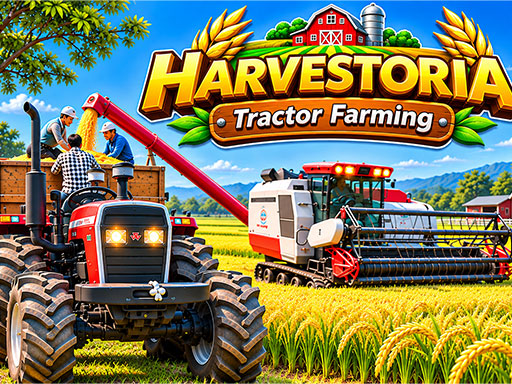
HARVESTORIA: Tractor Farming is a forty-level farm-work simulator that follows a growing operation season by season. You can walk around as the farmer, climb into the tractor, attach specialised machinery, and complete practical jobs such as ploughing, cultivating, sowing, spraying, cutting grass, hauling cargo, and delivering water. Each mission introduces a different combination of field layout, implement, and destination, so progress depends on careful alignment as much as driving speed.
Read the objective before moving
Check which machine and field the mission requires. Orange ground arrows lead toward useful locations, while Farmer Joe’s instructions explain unfamiliar tasks. A quick review prevents driving across the farm with the wrong implement or beginning work from an awkward direction.
Hitch equipment accurately
Reverse slowly toward a plough, seeder, sprayer, trolley, or other implement. Line up the tractor’s rear connection before pressing F. Small steering corrections are easier while the vehicle is still several metres away; turning sharply at the final moment usually leaves the hitch beside the machine.
Work in straight rows
Begin along a field edge and use the soil’s changing colour as a record of completed ground. At the end of each row, move over by roughly the working width of the attachment and return in the opposite direction. Overlapping wastes time, while leaving thin untreated strips can prevent the objective from completing.
Turning with long machinery
A tractor may clear a corner while the attached tool cuts across the field. Drive slightly beyond the row before turning, then straighten before re-entering. Use the handbrake only when a tight stop is genuinely needed; smooth turns preserve alignment.
Cargo and tanker missions
Trailers add weight and respond more slowly. Brake before slopes or sharp turns, avoid cutting corners, and watch the trailer rather than only the tractor’s nose. A stable delivery is usually faster than recovering from a jackknife or missed gate.
A dependable farming routine
- Confirm the job and required implement.
- Follow arrows to the equipment.
- Reverse in a straight line and attach with F.
- Enter the field from a useful edge.
- Work parallel rows with minimal overlap.
- Detach only at the marked destination.
Learning the machines
Ploughs and cultivators prepare soil, seeders establish crops, sprayers treat rows, cutters handle grass, and transport attachments move farm materials. Treat the first mission with each machine as training. Once its turning radius and width are understood, later jobs become quicker without reckless driving.
Controls
Use W or Up Arrow to accelerate, S or Down Arrow to brake and reverse, and A/D or Left/Right Arrow to steer. Space applies the handbrake. Press F to attach or detach machinery. Follow displayed prompts when controlling the farmer or interacting with mission points.
Common questions
Why is the field not complete?
Look for a narrow untreated strip, often near an edge or the point where a turn began.
Why can’t I attach a machine?
Reverse more slowly and centre the tractor’s rear hitch with the implement connection.
How do I make jobs faster?
Use straight parallel rows and plan turns that bring the tractor directly into the next pass.
HARVESTORIA rewards steady, organised driving. Learn the purpose of each attachment, let the field show your progress, and build an efficient farm one clean row at a time.
Quick controls
Drive the tractor with WASD or arrows, use Space for the handbrake, and press F to attach equipment. Complete forty farming missions across the seasons.