Dream Kids: Monster Blaster: How to Play
A practical walkthrough written for this specific game.
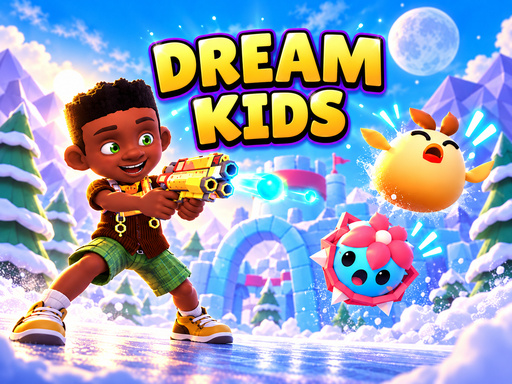
Dream Kids: Monster Blaster is a cover-based shooting adventure set across a sequence of imaginative dream worlds. The hero fights playful monsters, weakens ghosts for capture, collects coins, and faces a boss at the end of each major challenge. The bright presentation keeps the tone closer to an animated fantasy than a harsh combat game, but the action still requires deliberate aiming and good use of cover.
Fire, hide, and choose the right moment
Holding the left mouse button brings the hero out of cover and lets you aim the blaster. Releasing it sends the character back to safety. This simple rhythm drives most encounters. Staying exposed for too long invites incoming attacks, while hiding constantly gives enemies time to control the screen. Look for a clear firing lane, deal a focused burst of damage, and retreat as soon as a projectile or attack animation begins.
The ten dream-themed levels move through settings such as magical gardens, candy clouds, snowy festivals, and stranger areas on the route to the Nightmare Throne. New surroundings are more than a visual change. Enemy waves and boss patterns ask for different positioning and timing. Coins collected during a level contribute to gear progression, giving careful players a reason to explore the full encounter rather than rushing every target.
Capturing weakened ghosts
A ghost becomes capturable after it has taken enough damage. Press Space or F to begin the capture, then continue clicking or pressing Space to fill the meter. Starting a capture at the wrong moment can leave the hero vulnerable, so clear nearby pressure first. If several enemies remain active, use cover and movement to create a safer window instead of forcing the capture immediately.
The ability to switch between cover positions is especially useful during larger waves. Use A and D or the left and right arrow keys to relocate. A new position may give a better angle on a protected target or move the hero away from an attack aimed at the previous spot. Treat movement as part of defense rather than waiting until the screen becomes crowded.
Boss-fight habits
Spend the first cycle of a boss battle learning its sequence. Many bosses telegraph a heavy attack before it lands. A shorter firing window that ends safely is more valuable than a long burst followed by major damage. Save aggressive attacks for the recovery period after the boss completes a pattern. When smaller enemies appear, remove the ones that restrict movement before returning attention to the main target.
Who will enjoy the game?
The accessible controls suit players who want shooting action without managing a large keyboard layout. The capture mechanic adds a second objective beyond reducing health bars, and the themed stages provide visible progress. Players who enjoy improving gear, collecting coins, and recognizing boss patterns will get more from the ten-level journey than someone looking for a completely open arena.
Controls
- Hold the left mouse button and move the mouse to aim and fire.
- Release the mouse button to return to cover.
- Press Space or F beside a weakened ghost to begin capturing it.
- Click repeatedly or press Space repeatedly to fill the capture meter.
- Use A and D or the left and right arrow keys to change cover positions.
Before entering the next dream
Collect coins when the battlefield is safe, and avoid interrupting a strong defensive rhythm for a risky pickup. Capture attempts are easiest after the most dangerous enemy in a wave has been removed. During a boss stage, use the early moments to observe. Dream Kids: Monster Blaster becomes much easier when every action follows the enemy’s timing instead of competing with it.
Quick controls
Hold the left mouse button to leave cover and fire, then release it to hide. Use A/D or the arrow keys to switch cover. Weaken ghosts before pressing Space or F to start a capture, then repeat the input until the meter is full.