Tiny Front: How to Play
A practical walkthrough written for this specific game.
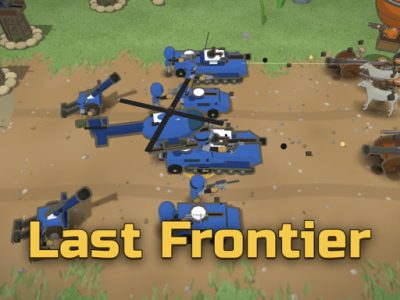
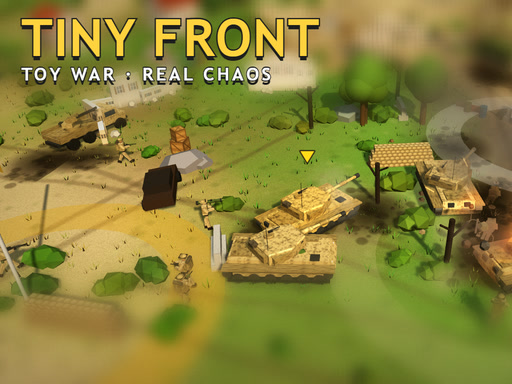
Tiny Front is a toy-scale action game with sixteen missions across valley, desert, frozen, and city battlefields. Soldiers, jeeps, tanks, and helicopters tackle capture zones, armoured targets, oil pumps, rescues, and the zombie-filled Night of the Pickled Dead. Coins unlock guns, gadgets, armour, and skins in the Armory.
Choose the right unit
Soldiers fit narrow objectives, jeeps provide speed, tanks handle armour, and helicopters bypass ground obstacles. Select according to the mission rather than using the strongest-looking option everywhere.
Capture zones safely
Clear nearby threats before standing in the objective. Use cover and watch entrances; remaining still in an open zone makes an easy target.
Gadgets and grenades
Use G or Right Click for the active gadget. Save rockets for vehicles, airstrikes for groups, and grenades for enemies behind cover. Free grenades still require good placement.
Weapon switching
X or 1/2 swaps guns. Carry complementary options so close enemies and distant targets do not force the same inefficient weapon.
Use the big map
Tab shows the battlefield. Check it before driving far, especially when several capture points or rescue objectives remain.
Zombie missions
Keep moving and avoid being surrounded. Use open routes, group enemies before explosives, and preserve an exit instead of backing into a corner.
A mission routine
- Read objectives on the map.
- Choose a suitable unit and loadout.
- Clear approaches before interacting.
- Use gadgets on high-value targets.
- Collect coins without abandoning the mission.
- Upgrade the weakness exposed by the result.
Controls
Move with WASD or arrows, aim with the mouse, and shoot with Click or Space. Use G/Right Click for gadgets, X or 1/2 to swap guns, Tab for map, T for emotes, P/Escape to pause, and M for sound. Mobile includes buttons and auto-aim.
Questions
Which vehicle is best?
Use speed for wide objectives, armour for direct fights, and helicopters for difficult terrain.
Why do capture attempts fail?
Clear surrounding threats and defend entry lanes before remaining in the zone.
Tiny Front rewards flexible tactics beneath its playful appearance. Match equipment to the mission, use the map, and make every explosive solve a real battlefield problem.
Quick controls
Fight sixteen toy-scale missions as a soldier or vehicle, capture zones, defeat tanks and zombies, rescue targets, and upgrade equipment in the Armory.